Minutes Ago Calculator
Minutes Ago Calculator
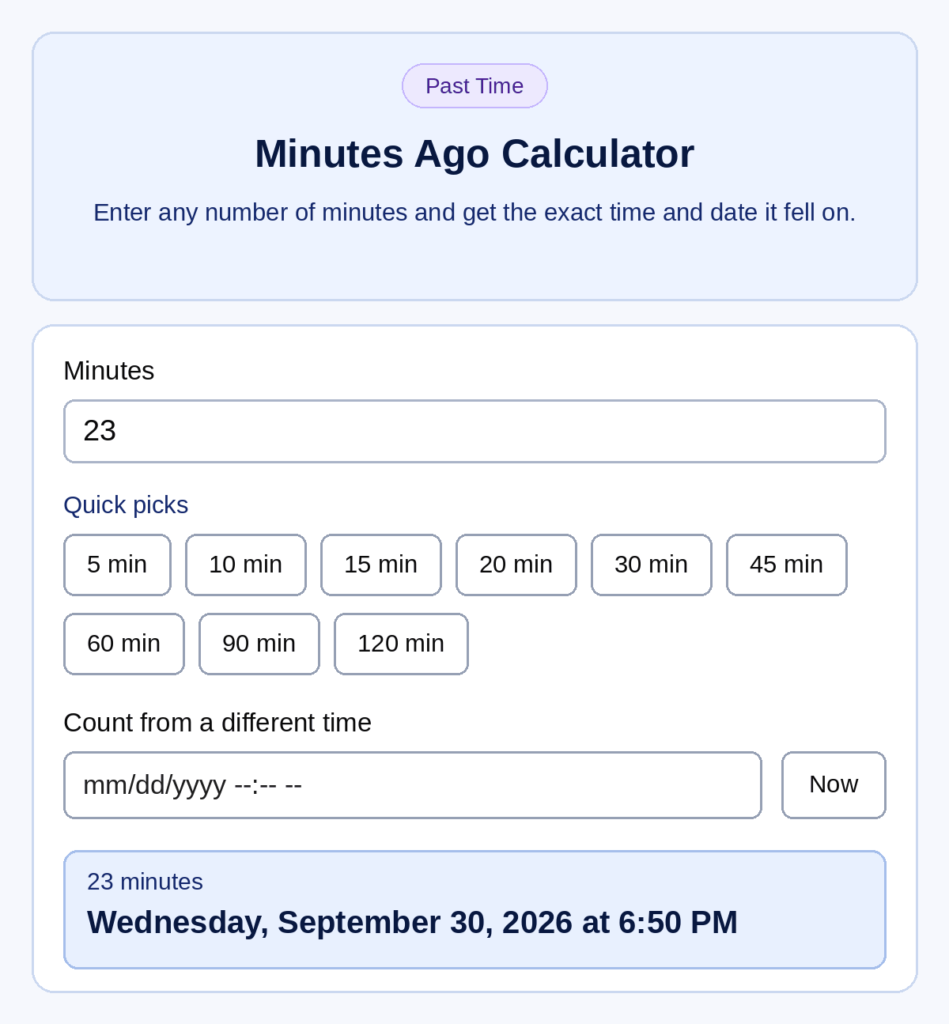
Enter any number of minutes and get the exact time and date it fell on.
Quick picks
Count from a different time
Leave the start empty to use the current time.
Live 1–60 Minutes Ago Table
| Minutes ago | Time | Date |
|---|---|---|
| 1 minute ago | ||
| 2 minutes ago | ||
| 3 minutes ago | ||
| 4 minutes ago | ||
| 5 minutes ago | ||
| 6 minutes ago | ||
| 7 minutes ago | ||
| 8 minutes ago | ||
| 9 minutes ago | ||
| 10 minutes ago | ||
| 11 minutes ago | ||
| 12 minutes ago | ||
| 13 minutes ago | ||
| 14 minutes ago | ||
| 15 minutes ago | ||
| 16 minutes ago | ||
| 17 minutes ago | ||
| 18 minutes ago | ||
| 19 minutes ago | ||
| 20 minutes ago | ||
| 21 minutes ago | ||
| 22 minutes ago | ||
| 23 minutes ago | ||
| 24 minutes ago | ||
| 25 minutes ago | ||
| 26 minutes ago | ||
| 27 minutes ago | ||
| 28 minutes ago | ||
| 29 minutes ago | ||
| 30 minutes ago | ||
| 31 minutes ago | ||
| 32 minutes ago | ||
| 33 minutes ago | ||
| 34 minutes ago | ||
| 35 minutes ago | ||
| 36 minutes ago | ||
| 37 minutes ago | ||
| 38 minutes ago | ||
| 39 minutes ago | ||
| 40 minutes ago | ||
| 41 minutes ago | ||
| 42 minutes ago | ||
| 43 minutes ago | ||
| 44 minutes ago | ||
| 45 minutes ago | ||
| 46 minutes ago | ||
| 47 minutes ago | ||
| 48 minutes ago | ||
| 49 minutes ago | ||
| 50 minutes ago | ||
| 51 minutes ago | ||
| 52 minutes ago | ||
| 53 minutes ago | ||
| 54 minutes ago | ||
| 55 minutes ago | ||
| 56 minutes ago | ||
| 57 minutes ago | ||
| 58 minutes ago | ||
| 59 minutes ago | ||
| 60 minutes ago |
Updates automatically every minute. Times follow your device’s time zone.
The minutes ago calculator shows the exact time and date from any number of minutes in the past. Enter the minutes, and it counts back from right now or from any start time you choose. It turns vague labels like “sent 45 min ago” into a real clock time, and it adds the date whenever the result crosses midnight.
Results show in 12-hour and 24-hour format, using your device’s local time.
How to Use the Minutes Ago Calculator
- Enter the minutes. Type a plain number like 5, 30, 90, or 240. Words like “half an hour” or “1h” won’t work.
- Set a start time (optional). Leave it empty to count back from right now, or pick a custom date and time, for example, to check 30 minutes before a meeting yesterday.
- Read the result. It updates as you type, showing the past time, the date, and the duration in HH: MM format. For example, 65 minutes shows as 01:05.
Entering 0 returns the current time. For large values like 20,000 minutes, the result also shows the gap in days and weeks, because the date matters more than the clock at that point.
Planning instead? Use the hours from now calculator. Going back more than a few hours? The hours ago calculator is quicker.
What Time Was It X Minutes Ago? Common Values
The answer always depends on your current time, which is why the live table above refreshes. These examples use 3:00 PM as the current time.
What Time Was It 30 Minutes Ago (Half an Hour Ago)?
At 3:00 PM, 30 minutes ago was 2:30 PM. Half an hour is the most common short lookback, used for messages, calls, deliveries, and cooking.
What Time Was It 45 Minutes Ago?
At 3:00 PM, it was 2:15 PM. Forty-five minutes is three-quarters of an hour, a common gap for medication timing and meeting check-ins.
What Time Was It 20 Minutes Ago?
At 3:00 PM, 20 minutes ago was 2:40 PM.
What Time Was It 90 Minutes Ago?
At 3:00 PM, it was 1:30 PM. Ninety minutes is 1 hour 30 minutes, or 1.5 hours.
What Time Was It 120, 180, and 240 Minutes Ago?
These equal 2, 3, and 4 hours. At 3:00 PM, the results are 1:00 PM, 12:00 PM, and 11:00 AM.
What Time Was It 4, 24, or 56 Minutes Ago?
At 3:00 PM: 4 minutes ago was 2:56 PM, 24 minutes ago was 2:36 PM, and 56 minutes ago was 2:04 PM. Odd values like these are where mental subtraction most often slips.
How to Calculate Minutes Ago Manually
1. Split large values into hours and minutes. 75 minutes = 1 hour 15 minutes. 150 minutes = 2 hours 30 minutes.
2. Subtract hours, then minutes. At 9:55 PM, 75 minutes ago: subtract 1 hour to get 8:55 PM, then 15 minutes to get 8:40 PM.
3. Borrow when the minutes go below zero. At 9:20 PM, 35 minutes ago: 20 minus 35 is negative, so borrow 1 hour, which gives 80 minutes. 80 minus 35 is 45, so the answer is 8:45 PM.
4. Use 24-hour time to avoid AM/PM mistakes. 9:00 PM is 21:00. Subtract 90 minutes to get 19:30, which is 7:30 PM. The military time converter helps if you’re switching formats. See also the 24-hour clock standard.
The calculator does all of this instantly, but these steps are useful for checking a result.
Crossing Midnight: Why the Date Matters
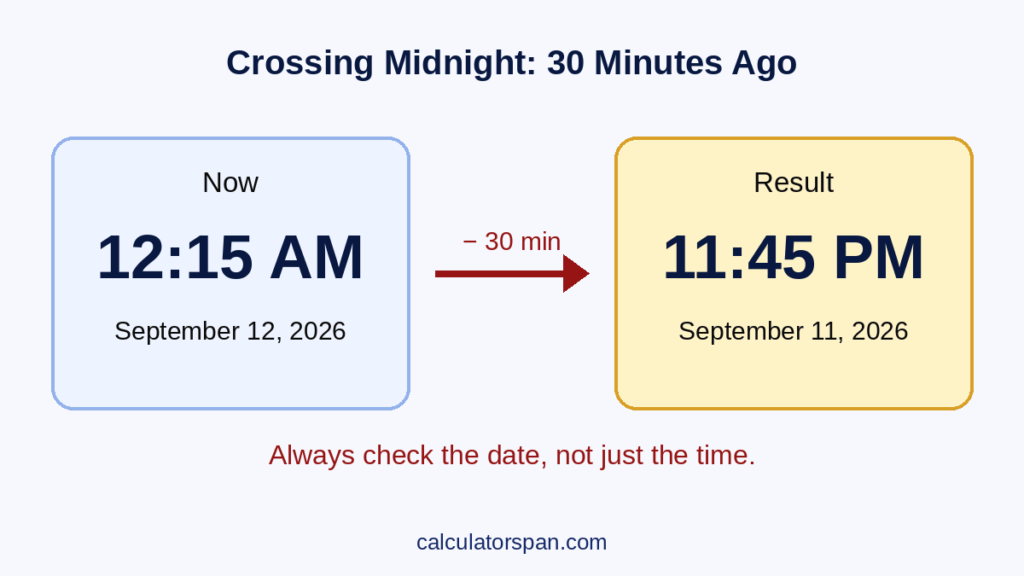
This is the most common mistake. At 12:15 AM on September 12, 2026, 30 minutes ago was 11:45 PM on September 11, not 11:45 AM and not the same day.
Going further back: 240 minutes before 12:15 AM on September 12 was 8:15 PM on September 11. That’s why the calculator always shows the date next to the time. A clock time without a date is incomplete whenever the result crosses midnight.
Minute Conversions
| Minutes | Hours | Seconds |
| 15 | 0:15 (¼ hour) | 900 |
| 30 | 0:30 (½ hour) | 1,800 |
| 45 | 0:45 (¾ hour) | 2,700 |
| 60 | 1:00 | 3,600 |
| 90 | 1:30 | 5,400 |
| 120 | 2:00 | 7,200 |
| 180 | 3:00 | 10,800 |
| 240 | 4:00 | 14,400 |
| 1,440 | 24:00 (1 day) | 86,400 |
| 10,080 | 168:00 (1 week) | 604,800 |
Developers working with timestamps in seconds or milliseconds can use the Unix timestamp converter.
Practical Uses
Messages and notifications: Turn “10 min ago” into an exact time for records or screenshots.
Rebuilding a timeline: Work backward from now to log when a call ended, a message arrived, or a meeting began.
Medication and cooking: If a dose was taken 45 minutes ago at 3:00 PM, it was 2:15 PM. Exact timing matters when the next dose depends on it.
Work logs: Record real times instead of vague labels. For full shift totals, use the timecard calculator.
Accuracy Tips
- Live mode uses your device clock, so check that it’s correct against the official NIST time.
- For past events, set a custom start time from the actual timestamp rather than counting back from now.
- Stick to one time format throughout a task, either 12-hour or 24-hour.
- Save the full result, time and date together. A bare clock reading loses meaning a day later.
- For other time zones, convert the reference time first with the time zone converter. For UTC comparisons, the calculator’s result can be checked against any UTC clock.
To measure the gap between two known times, use the time duration calculator. To add or subtract hours and minutes together, try the time calculator. For spans measured in days or weeks, use the date calculator or the date difference calculator.
Frequently Asked Questions
What time was it 30 minutes ago?
Subtract 30 minutes from your current time. At 3:00 PM, it was 2:30 PM. Enter 30 into the calculator for the exact answer right now.
What time was it half an hour ago?
Half an hour is 30 minutes. At 8:10 AM, it was 7:40 AM.
What time was it 45 minutes ago?
At 6:20 PM, 45 minutes ago was 5:35 PM.
What time was it 90 minutes ago?
90 minutes is 1 hour and 30 minutes. At 9:00 PM, it was 7:30 PM.
What happens if the result crosses midnight?
The calculator rolls back to the previous day and shows the correct date. At 12:20 AM, 40 minutes ago was 11:40 PM the day before.
Can I enter “1h” or “half an hour”?
No. Enter numbers only, such as 30 or 90. For hours, use the hours ago calculator.
Can I count back from a time other than now?
Yes. Set a custom start date and time, and the calculator subtracts the minutes from that point.
Is it accurate?
It’s as accurate as your device’s clock, and it handles midnight, month changes, and leap years automatically.