Most rounding errors on a timesheet don’t come from bad math. They come from reading 7.45 as 7:45, when it’s actually 7:27. A decimal to time calculator fixes that instantly by turning any positive decimal into readable time in hh:mm:ss format.
Decimal to Time Calculator
Convert decimal hours, minutes, seconds, or days to hh:mm:ss
Enter a decimal number above to see the time
00:00:00
hh:mm:ss
- Plain-English breakdown
- —
- Decimal hours
- —
- Total seconds
- —
- Calculation
Quick reference: common decimal hours to time
↑ Click any row to fill the calculator
| Decimal | Time |
|---|---|
| 0.10 hr | 00:06:00 |
| 0.25 hr | 00:15:00 |
| 0.50 hr | 00:30:00 |
| 0.75 hr | 00:45:00 |
| 1.50 hr | 01:30:00 |
| 2.88 hr | 02:52:48 |
| 7.50 hr | 07:30:00 |
| 42.756 hr | 42:45:22 |
I’ve seen payroll systems export decimal hours that shorted workers because nobody converted them properly. Enter a decimal number, and this free calculator splits it into hours, minutes, and seconds, down to hundredths of a second. It also gives you a plain-English breakdown of each time unit.
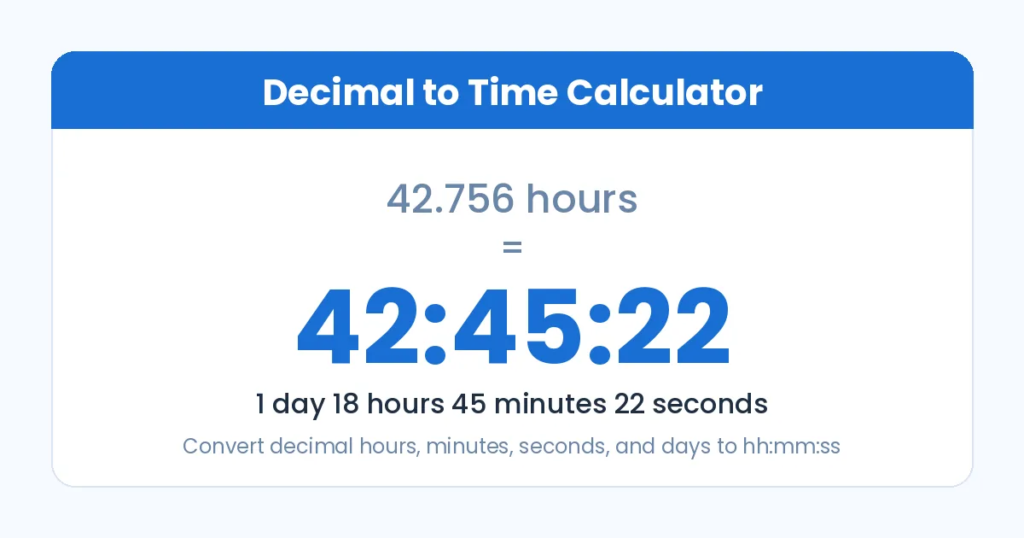
Decimal values scale through total seconds to days and weeks, so 42.756 hours reads as 1 day 18 hours 45 minutes 22 seconds. The tool works both ways, and the conversion chart below covers every common hours and minutes value.
How to Convert Decimal to Time (Formula and Steps)
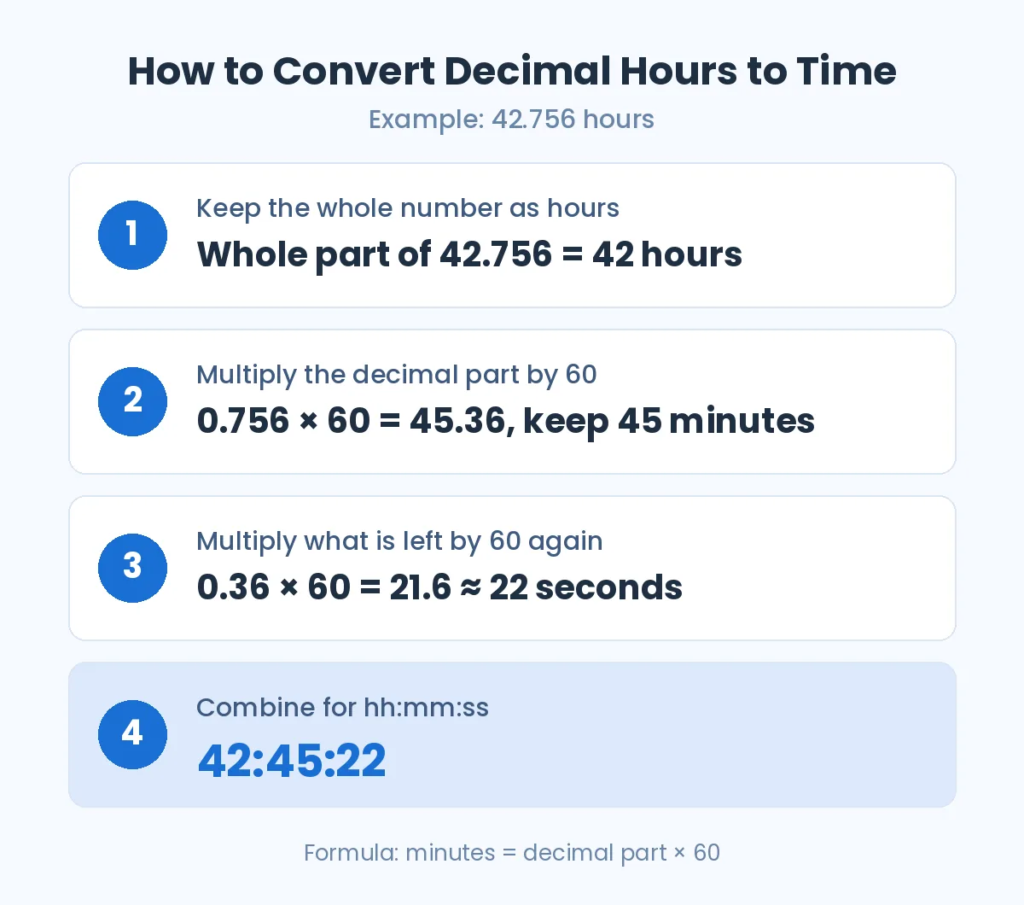
Here’s the answer first: 42.756 hours equals 42:45:22. Once you see how I got there, you won’t need a tool for simple entries.
The basic formula has two moves. Keep the whole number as hours. Then take the decimal part and multiply by 60 to get minutes. If a decimal is still left over, multiply again to get seconds.
These are the easy ones you’ll see daily:
- 0.25 hours × 60 = 15 minutes
- 0.5 hours × 60 = 30 minutes
- 0.75 hours × 60 = 45 minutes
So 1.5 hours is 1 hour 30 minutes, and 2.75 hours is 2 hours 45 minutes.
Harder numbers need the full step method:
- Split 42.756. The 42 hr stays put, and 0.756 hr moves on.
- 0.756 × 60 = 45.36 min. Keep 45.
- 0.36 min × 60 = 21.6 s, which is approximately 22 s.
- Result: 42:45:22.
Here’s one more decimal hours example to lock it in. 2.88 hours gives you 2 hours. Then 0.88 hours × 60 = 52.8 minutes, so keep 52 minutes. Finally, 0.8 minutes × 60 = 48 seconds. Final answer: 02:52:48.
In my experience, the calculation breaks when someone rounds 52.8 up to 53 and stops there. That adds 12 phantom seconds per entry, and it compounds fast across a pay period.
Decimal Hours to Minutes Charts
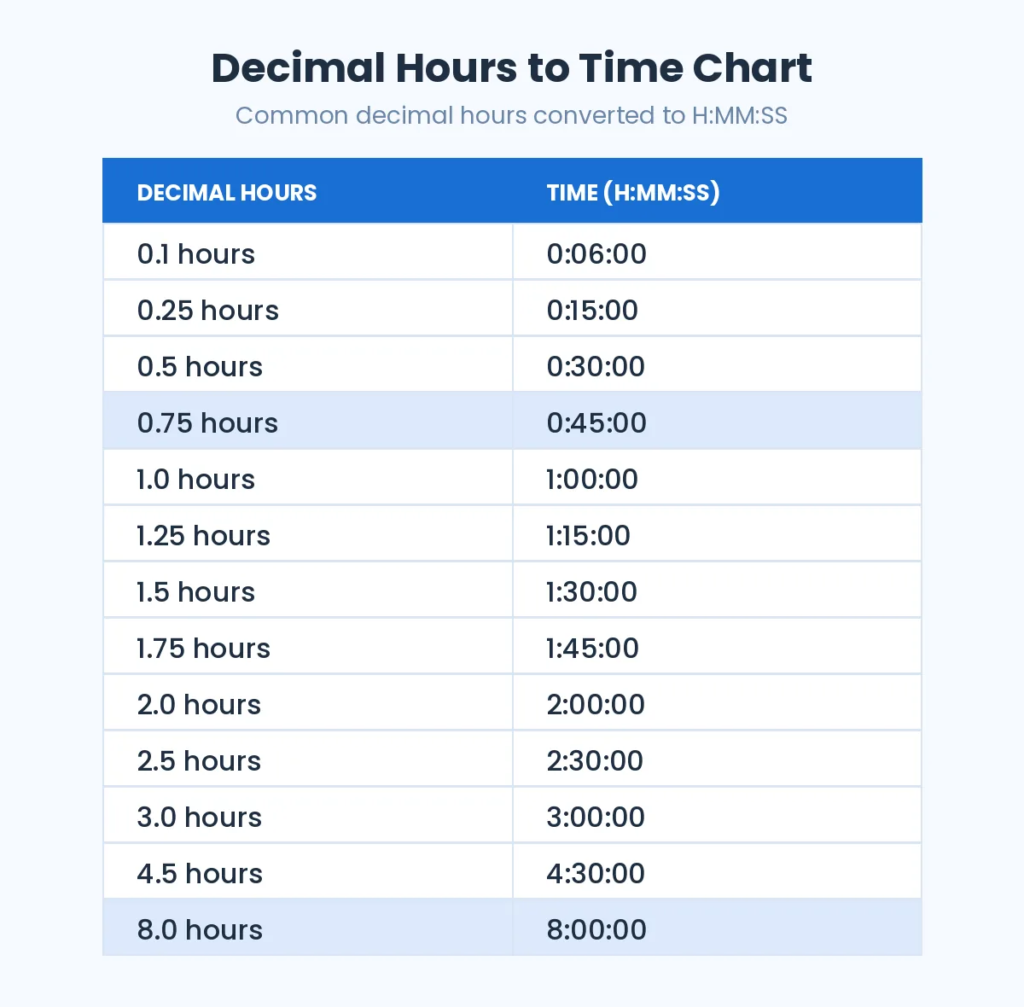
Charts beat calculators when you’re checking 40 timesheets in a row. I use two charts. The first covers common decimal hours to time values in H:MM:SS. The second is a full-minute chart in H: MM for every decimal between 0.02 and 1.00. Both are built for fast payroll and billing reviews.
Common Decimal Hours to Time
| Decimal Hours | Decimal Hours |
| 0.1 hours = 0:06:00 | 0.25 hours = 0:15:00 |
| 0.5 hours = 0:30:00 | 0.75 hours = 0:45:00 |
| 1.0 hours = 1:00:00 | 1.25 hours = 1:15:00 |
| 1.5 hours = 1:30:00 | 1.75 hours = 1:45:00 |
| 2.0 hours = 2:00:00 | 2.5 hours = 2:30:00 |
| 3.0 hours = 3:00:00 | 4.5 hours = 4:30:00 |
| 8.0 hours = 8:00:00 |
Decimal Hours to Minutes (Full Chart)
| Decimal = H: MM | Decimal = H: MM | Decimal = H: MM |
| 0.02 = 0:01 | 0.03 = 0:02 | 0.05 = 0:03 |
| 0.07 = 0:04 | 0.08 = 0:05 | 0.10 = 0:06 |
| 0.12 = 0:07 | 0.13 = 0:08 | 0.15 = 0:09 |
| 0.17 = 0:10 | 0.18 = 0:11 | 0.20 = 0:12 |
| 0.22 = 0:13 | 0.23 = 0:14 | 0.25 = 0:15 |
| 0.27 = 0:16 | 0.28 = 0:17 | 0.30 = 0:18 |
| 0.32 = 0:19 | 0.33 = 0:20 | 0.35 = 0:21 |
| 0.37 = 0:22 | 0.38 = 0:23 | 0.40 = 0:24 |
| 0.42 = 0:25 | 0.43 = 0:26 | 0.45 = 0:27 |
| 0.47 = 0:28 | 0.48 = 0:29 | 0.50 = 0:30 |
| 0.52 = 0:31 | 0.53 = 0:32 | 0.55 = 0:33 |
| 0.57 = 0:34 | 0.58 = 0:35 | 0.60 = 0:36 |
| 0.62 = 0:37 | 0.63 = 0:38 | 0.65 = 0:39 |
| 0.67 = 0:40 | 0.68 = 0:41 | 0.70 = 0:42 |
| 0.72 = 0:43 | 0.73 = 0:44 | 0.75 = 0:45 |
| 0.77 = 0:46 | 0.78 = 0:47 | 0.80 = 0:48 |
| 0.82 = 0:49 | 0.83 = 0:50 | 0.85 = 0:51 |
| 0.87 = 0:52 | 0.88 = 0:53 | 0.90 = 0:54 |
| 0.92 = 0:55 | 0.93 = 0:56 | 0.95 = 0:57 |
| 0.97 = 0:58 | 0.98 = 0:59 | 1.00 = 1:00 |
A quick honesty note: this chart rounds to the nearest minute. For example, 0.33 is really 19.8 minutes, so it displays as 0:20. For exact seconds, use the calculator above.
Reading Decimal Time in Payroll and Tracking Tools
Decimal time was never designed for people to read. It exists so software can multiply hours by a pay rate in one step. The trouble starts when a person reads the export.
Payroll software like QuickBooks and most other payroll solutions report hours as decimals by default. The same goes for project tracking and work tracking tools such as Toggl, Clockify, Harvest, and Jira. They all show time reported as decimals because client billing and hourly billing depend on it.
These are the three mistakes I catch most often when reviewing timesheets:
- Reading decimals as clock time. 7.5 is 7:30, not 7:50. And 7.45 is 7:27, not 7:45.
- Mixing formats in spreadsheets. Excel and Google Sheets store time as a fraction of a day. Formulas that combine HH: MM cells with decimal hours return nonsense unless you multiply by 24.
- Checking overtime calculations in the wrong unit. The U.S. Department of Labor’s overtime rules count hours worked over 40 per week. A 40.5 total is 30 minutes of overtime, not 50.
My rule is simple. Let the software calculate in decimals, then convert back to hours and minutes before anyone reads or approves payroll. If you’re totaling clock-in and clock-out times first, our timecard calculator handles that step.
How to Convert Decimal Time to hh:mm:ss by Total Seconds
This is the method I trust for anything over 24 hours, because you round only once instead of at every step. Turn the decimal time into total seconds, then divide your way down.
- Multiply 42.756 hours by 3600 seconds per hour to get 153,921.6, which rounds to 153,922 s.
- Divide by 86,400 seconds per day. You get 1 day with a remainder of 67,522 s.
- Divide that by 3,600. You get 18 hr with a remainder of 2,722 s.
- Divide by 60 seconds per minute. You get 45 min and 22 s.
Since 1 day = 24 hr, add 24 to the 18 hours for hh:mm:ss output. The final reading is 42:45:22. If you need to add or subtract several durations before converting, run them through our time calculator first.
How to Convert Decimal Days to Time
Equipment logs and project trackers often show decimal days. Timesheets never do, so start by multiplying by 24 hours per day.
3.2 days × 24 = 76.8 hours. Keep 76 hours. Then 0.8 hours × 60 = 48 minutes, with 0 seconds left over. In time format, that’s 76:48:00.
A common mistake I see is writing this as “3 days 8 hours.” The 0.2 days is actually 4.8 hours, not 8.
How to Convert Decimal Minutes to Time
Call logs and stopwatch apps love decimal minutes. Take 78.6 minutes as an example.
- Divide by 60 minutes per hour to get 1.31 hours.
- Split off 1 hour, which leaves 0.31 hours.
- 0.31 × 60 = 18.6 minutes. Keep 18 minutes.
- 0.6 minutes × 60 = 36 seconds.
In time format, the answer is 01:18:36. My shortcut for values under 120 is to subtract 60 first. 78.6 minus 60 leaves 18.6, so the hour is obvious right away.
How to Convert Decimal Seconds to Time
Decimal seconds show up in video render logs and race timing. Take 7147.3 seconds as an example.
- Divide by 3600 seconds per hour to get 1.9854 hours (rounded).
- Split off 1 hour, which leaves 0.9854 hours.
- 0.9854 × 60 = 59.124 minutes. Keep 59 minutes.
- 0.124 minutes × 60 = 7.44 seconds, which rounds to 7 seconds.
In time format, that’s 01:59:07. One caveat: the exact leftover is 7.3 seconds. Rounding the hours to four places nudged it to 7.44, but both land on 7. For precise work, the total seconds method avoids this drift.
Converting the Other Way
The reverse conversion takes one step: divide by 60. Just keep 4-decimal precision. Entering 0.17 instead of 0.1667 for 10-minute tasks looks harmless, but over 100 entries it adds about 20 minutes that nobody worked.
For a full minutes-to-decimal chart, including 15, 30, and 45 minutes, use our hours and minutes to decimal calculator.
Frequently Asked Questions
How Do I Convert Decimal to Time or Decimal to Minutes?
Treat the decimal as a fraction of an hour. Keep the whole number as hours. Then take the decimal part of the hour and multiply by 60 to get minutes. For example, 0.5 × 60 = 30 minutes, and 0.75 × 60 = 45 minutes. So 1.75 converted from decimal to time is 1 hour 45 minutes.
What Is a Decimal to Time Calculator?
A decimal to time calculator turns decimal hour values into hours and minutes you can read like a clock. Timekeeping systems and payroll systems often export entries like 7.25 hours. The tool shows that as 7 hours and 15 minutes, so you can check it against a timesheet.
How Do I Read Decimal Hours on a Payroll Report?
Look at the digits after the decimal point and multiply them by 60. On a report showing 38.6 hours, 0.6 × 60 = 36 minutes, so the employee worked 38 hours 36 minutes. Don’t read the decimal digits as minutes, because 38.6 doesn’t mean 38 hours 6 minutes.
How Do I Convert Decimal Hours to Time in Excel or Google Sheets?
Divide the decimal by 24, then format the cell as time. If A1 holds 42.756, enter =A1/24 and apply the custom format [h]:mm:ss. The result shows 42:45:22. In Google Sheets, you can also choose Format → Number → Duration. The square brackets around h matter, because without them, any value over 24 hours resets to zero.
How Do I Convert Decimal Hours Over 24 Into Days?
Divide the hours by 24. The whole number is your days, and the remainder is leftover hours. For 50.5 hours, 50 ÷ 24 = 2 days with 2 hours left. Then convert the 0.5 as usual: 0.5 × 60 = 30 minutes. The answer is 2 days, 2 hours, 30 minutes.
How Many Minutes Is 0.1 of an Hour?
0.1 of an hour is 6 minutes, because 0.1 × 60 = 6. Many billing systems use 0.1-hour increments, so each tenth equals 6 minutes of work. Smaller values work the same way. 0.01 hours is 0.6 minutes, or 36 seconds.