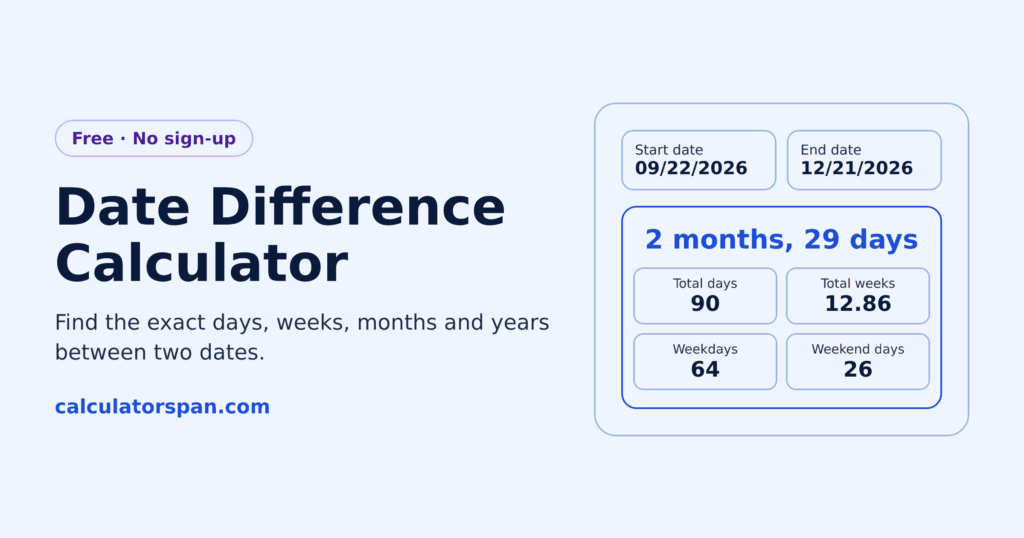
The gap between two dates is easy to get wrong by hand. Months have different lengths, leap years shift the count, and a deadline that looked like eight weeks turns out to be seven. This date gap calculator gives you the exact difference in days, weeks, months, and years at once.
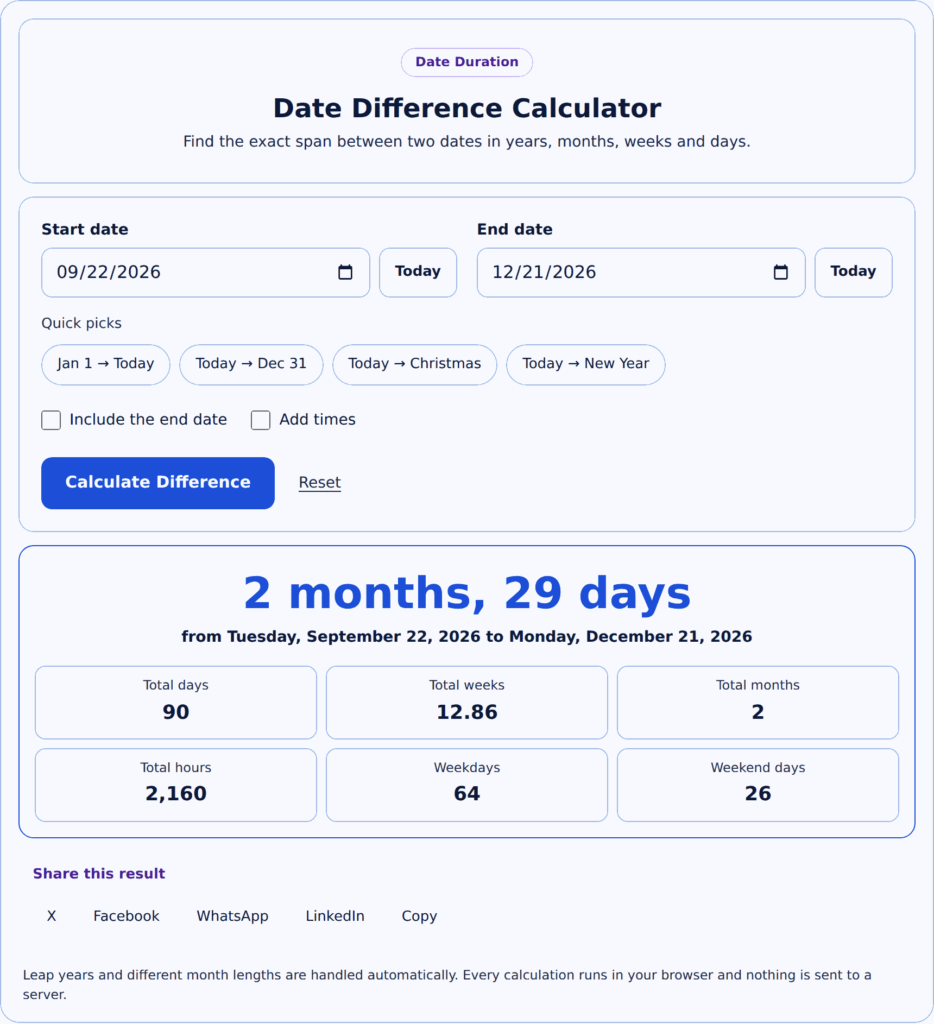
Date Difference Calculator
Find the exact span between two dates in years, months, weeks and days.
- Total days
- 90
- Total weeks
- 12.86
- Total months
- 2
- Total hours
- 2,160
Leap years and different month lengths are handled automatically. Every calculation runs in your browser and nothing is sent to a server.
What Is a Date Difference Calculator?
A date difference calculator measures the exact span between two dates. No counting on a calendar, no working around months of different lengths.
It also breaks the result down by hour and minute, so a span that starts and ends mid-day returns a real figure rather than a rounded one.
Need to add or subtract days from a date instead? Use the date calculator.
How to Use the Date Difference Calculator
Calculating a date difference between two points in time sounds technical, but the process is surprisingly direct. Enter your start date using the standard date picker, select an end date, and the tool will instantly compute your result.
What Results You Get
Results appear across multiple units at once: days, weeks, months, and years. You get the full picture in one place instead of converting between them yourself.
Weekdays and Weekends in Your Result
Alongside the total span, the result splits your date range into weekdays and weekend days. That gives you a quick sense of how much working time a period actually holds, without leaving the page.
If you need a full business-day count for payroll, invoicing, or a contractual deadline, use the working days calculator, which is built specifically for that.
How to Calculate the Difference Between Two Dates
You can work out the difference between two dates by hand in four steps:
- Count the whole calendar months from the start date toward the end date, without passing the end date.
- Count the leftover days from that point to the end date.
- For the total number of days, add the days left in the start month, every full month in between, and the days in the end month up to the end date.
- Divide the total days by 7 to get weeks. The remainder is the leftover days.
Worked Examples
| Start date | End date | Months and days | Total days | Weeks and days |
| Mar 15 | May 20 | 2 months, 5 days | 66 | 9 weeks, 3 days |
| Oct 17, 2026 | Jan 15, 2027 | 2 months, 29 days | 90 | 12 weeks, 6 days |
| Feb 28, 2024 | Mar 1, 2024 | 0 months, 2 days | 2 | 0 weeks, 2 days |
| Feb 28, 2023 | Mar 1, 2023 | 0 months, 1 day | 1 | 0 weeks, 1 day |
The last two rows show why leap years matter: the same dates in 2024 include February 29, so the gap is one day longer.
The difference in days between two dates is also the quickest way to compare deadlines. A span of 90 days is 12 weeks and 6 days, so a project that looks like “three months” is closer to twelve and a half weeks.
How This Date Difference Calculator Works
Counting days on a calendar works until a leap year or a 31-day month gets in the way. This tool handles both automatically.
Weeks Between Two Dates
To find the number of weeks between two dates, take the total days and divide by 7. The whole number is the weeks, and the remainder is the extra days.
For example, 90 days is 12 weeks and 6 days, or 12.86 weeks as a decimal. The calculator shows both formats, so you can use whichever fits your plan. For a longer reference, see the conversion table below.
Leap Years and Varying Month Lengths
This calculator handles leap years and unequal month lengths automatically, so your results stay accurate regardless of the date range you enter.
The rule it follows is the Gregorian one: a leap year occurs every four years, except that century years are leap years only if divisible by 400. That is why 2000 was a leap year, and 1900 was not.
Days to Weeks to Months to Years Conversion Table
Figuring out how many weeks are in 6 months, or how many months 500 days works out to, can get confusing fast. This reference table makes it simple.
Use the table below to jump between days, weeks, months, and years. Month figures use 30.44 days, the average calendar month, and year figures use 365.25 days to account for leap years.
| Days | Weeks | Months | Years |
| 1 | 0.14 | 0.03 | 0.0027 |
| 7 | 1 | 0.23 | 0.019 |
| 14 | 2 | 0.46 | 0.038 |
| 21 | 3 | 0.69 | 0.058 |
| 30 | 4.29 | 0.99 | 0.082 |
| 60 | 8.57 | 1.97 | 0.164 |
| 90 | 12.86 | 2.96 | 0.246 |
| 120 | 17.14 | 3.94 | 0.329 |
| 150 | 21.43 | 4.93 | 0.411 |
| 180 | 25.71 | 5.91 | 0.493 |
| 210 | 30 | 6.90 | 0.575 |
| 240 | 34.29 | 7.88 | 0.657 |
| 270 | 38.57 | 8.87 | 0.739 |
| 300 | 42.86 | 9.86 | 0.821 |
| 330 | 47.14 | 10.84 | 0.903 |
| 365 | 52.14 | 11.99 | 1.00 |
| 400 | 57.14 | 13.14 | 1.10 |
| 500 | 71.43 | 16.43 | 1.37 |
| 600 | 85.71 | 19.71 | 1.64 |
| 730 | 104.29 | 23.98 | 2.00 |
| 1,000 | 142.86 | 32.85 | 2.74 |
| 1,095 | 156.43 | 35.97 | 3.00 |
| 1,460 | 208.57 | 47.96 | 4.00 |
| 1,825 | 260.71 | 59.95 | 5.00 |
| 2,190 | 312.86 | 71.95 | 6.00 |
| 2,555 | 365 | 83.94 | 7.00 |
| 2,920 | 417.14 | 95.93 | 8.00 |
| 3,285 | 469.29 | 107.92 | 9.00 |
| 3,650 | 521.43 | 119.91 | 9.99 |
Quick Reference Cheat Sheet for Common Time Periods
Some periods come up again and again. Instead of doing the math every time, look it up here.
| Period | Days | Weeks | Months |
| 1 week | 7 | 1 | 0.23 |
| 2 weeks | 14 | 2 | 0.46 |
| 1 month | 30.44 | 4.35 | 1 |
| 1 quarter | 91.31 | 13.04 | 3 |
| Half year | 182.63 | 26.09 | 6 |
| 1 year | 365.25 | 52.18 | 12 |
| 18 months | 547.88 | 78.27 | 18 |
| 2 years | 730.50 | 104.36 | 24 |
| 5 years | 1,826.25 | 260.89 | 60 |
| 10 years | 3,652.50 | 521.79 | 120 |
These are calendar averages, not counts from a specific start date. A real quarter runs 90 to 92 days depending on which months it covers, which is what the calculator above gives you.
How to Convert Between Days, Weeks, Months, and Years
Once you know the right number to multiply or divide by, converting between any two units takes about three seconds. This table gives you every formula you need in one place.
| To convert | Formula |
| Days → Weeks | ÷ 7 |
| Days → Months | ÷ 30.44 |
| Days → Years | ÷ 365.25 |
| Weeks → Days | × 7 |
| Weeks → Months | ÷ 4.35 |
| Months → Days | × 30.44 |
| Months → Years | ÷ 12 |
| Years → Days | × 365.25 |
| Years → Weeks | × 52.18 |
| Years → Months | × 12 |
Common Use Cases for the Date Difference Calculator
Knowing the exact duration between two dates changes how you approach a schedule. Whether you’re chasing a deadline or mapping out a timeline, a date difference calculator gives you numbers you can actually act on.
Project Planning and Deadlines
Project planning rarely goes smoothly without knowing precise gaps. When you can calculate exact days between delivery dates and check-ins, your entire project stops running on guesswork.
Event and Anniversary Tracking
Event tracking takes on a different shape when the numbers are real. Counting days to a wedding or an anniversary, you stop relying on rough estimates and start coordinating with confidence.
If you are counting forward to a single upcoming date rather than measuring a span, the days until calculator does that in one step. To work out someone’s exact age from a birth date, the age calculator does it directly.
Contract and Employment Periods
Contract and employment work depends on duration clarity. Exact service periods, notice periods, and contract windows become manageable the moment you stop counting on a wall calendar.
For tracking weekly hours within those periods, our timecard calculator breaks down regular time and overtime, and the hours minutes to decimal calculator converts your totals for any payroll or billing system.
Legal and Financial Timelines
Legal and financial timelines carry real consequences. Filing deadlines, compliance dates, and holding periods all demand accurate counts rather than mental math you second-guess later.
Check the specific rules for whatever you are planning around, since deadlines and their calculation methods vary by jurisdiction.
Do Holidays Count in the Calculation?
No. The calculator counts calendar days and separates out weekends, but it does not remove public holidays, because holiday dates differ by country and employer.
If holidays matter for your range, subtract them manually or use the working days calculator. In the US, the Office of Personnel Management publishes the federal holiday schedule; elsewhere, check your national or regional list.
Why Use Our Date Difference Calculator?
Everything runs locally in your browser. No installation, no downloads, no plugins.
Calculations return instantly, and your dates never leave your device. Nothing is sent to a server, nothing is logged, and there is no sign-up.
Frequently Asked Questions
How Do I Calculate Days Between Two Dates?
Enter your start date and end date into the date pickers, and the tool instantly computes the exact difference, breaking it down into years, months, weeks, total days, and total hours without any manual effort.
Is This Date Difference Calculator Free to Use?
Completely free. No sign-up, no limits, and results appear instantly. Your dates are never sent to a server.
How Accurate Is This Date Difference Calculator?
It handles leap years, month-end dates, and varying month lengths, which is where manual counting usually breaks. It also handles the edge cases that trip up mental arithmetic, like a range spanning February 29, or a start date on the 31st of a month the end date doesn’t have.
Can I Calculate Date Difference Including Time?
Yes. Tick “Add times” and enter a start and end time, so a span that starts mid-morning and ends mid-afternoon returns an accurate figure rather than a rounded day count. If you only need the time between two clock times on the same day, the time duration calculator is quicker.
Is My Data Safe When Using This Date Difference Calculator?
Yes. No dates or personal information you enter are ever stored, sent, or logged anywhere.
What Date Formats Does the Calculator Support?
The date pickers handle the format for you, so you select a date rather than typing one. Your browser displays it in your local convention, whether that is DD/MM/YYYY or MM/DD/YYYY, and the calculation is identical either way.
Can I Use This for Project Planning and Deadlines?
Yes, this is one of the most practical uses for it. Enter your project start date and deadline, and you get the exact number of days, weeks, and months in between.
That number becomes your planning window. From there, you can break it into milestones, spot tight gaps, and avoid the guesswork that kills most project timelines.
Does the Date Difference Calculator Include the End Date?
By default, the result counts the days between your two dates without adding the end date itself. From January 1 to January 2 returns 1 day, not 2.
If you need an inclusive count, for example for a hotel stay or a leave period where both days count, tick “Include the end date”.
How Many Weeks Are Between Two Dates?
Enter both dates and the result shows the span in weeks alongside days, months, and years. Partial weeks appear as remaining days, so 17 days reads as 2 weeks and 3 days.
To convert a day count by hand, divide it by 7.
How Many Months Are Between Two Dates?
The calculator counts full calendar months first, then shows any remaining days. So March 15 to May 20 returns 2 months and 5 days, regardless of how long each month is.
This is more accurate than dividing days by 30, which drifts over long ranges.
What Is the Gap Between Two Dates?
The gap between two dates is the length of time from the start date to the end date. This calculator shows that gap as days, weeks, months, and years at once, so you don’t have to convert between them.
How Do I Find the Date Difference in Excel or Google Sheets?
Subtract the earlier date from the later one, for example =B1-A1, to get the number of days. For years, months, or leftover days, use =DATEDIF(A1,B1,”y”), “m”, or “md”. Check the result against this calculator, since DATEDIF can behave unexpectedly in some edge cases, especially the “md” option.
How Do I Count Days Between Two Dates Excluding Weekends?
The result separates weekdays from weekend days, so the weekday figure is your count with Saturdays and Sundays removed.
For a count that also lets you exclude public holidays, use the working days calculator.