Knowing how long until 12:00 AM is more useful than it sounds. Maybe a deadline resets at midnight, a sale or game goes live, or you’re just trying to pace your evening. This midnight countdown gives you the exact answer, updated every second, with no math and no guessing.
It reads the time straight from your device and counts down to tonight’s 12:00 AM in real time.
How to Use the Midnight Countdown
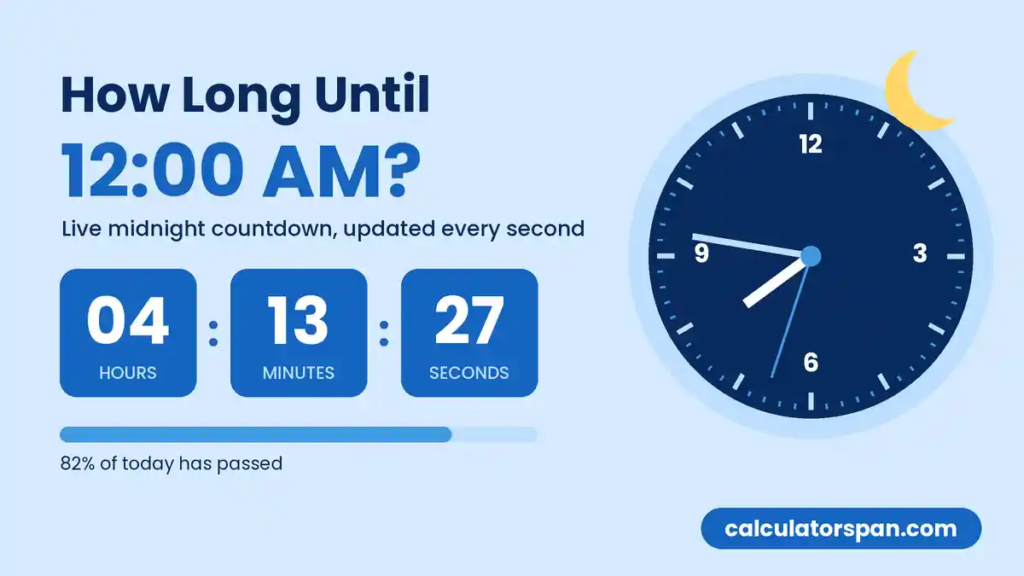
There’s nothing to set up. The moment the page loads, the countdown reads your device’s clock, works out tonight’s midnight, and starts ticking.
The three boxes show the hours, minutes, and seconds left. Below them, a plain-English line gives you the same figure in a form you can read at a glance or screenshot. The progress bar shows how much of today has already gone.
Because it uses your own clock, you’re always looking at your local midnight. There’s no time zone to pick and nothing to configure. If you’re counting down to a different date or time, the countdown timer online handles any target you give it.
How This Tool Works
The countdown uses your browser’s built-in JavaScript Date object, which gets the time from your operating system. On every tick, it compares the current moment to tonight’s midnight and shows the gap. No server is involved, so it keeps running accurately even if your internet drops.
Saving and Sharing a Countdown
Bookmark the page, and it opens with tonight’s countdown already running. There are no settings to save, so a bookmark is all you need.
Copy Result puts a quick text summary on your clipboard, showing the hours and minutes left until midnight. It’s ready to paste into a message, a chat, or a ticket.
The WhatsApp, Facebook, and X buttons share the tool itself, not a snapshot. Whoever opens your link sees the countdown to their own local midnight.
For one-tap access, drag the URL from your address bar onto your desktop, or use Add to Home Screen on your phone.
Real-World Use Cases
1. Midnight Sale Launches
Plenty of online stores open their sales at exactly 12:00 AM. Rather than refreshing the store page over and over, keep this countdown open in another tab. When it hits zero, the sale is live. On busy nights like Black Friday, a few seconds can decide whether you get the item or see “sold out.”
2. Game and App Releases
Games, updates, and new episodes often drop at midnight. If the release is at midnight where you are, this page tells you exactly how long you have to wait, down to the second. It’s a lot more satisfying than checking the clock every five minutes.
3. Work Deadlines
If a submission closes at midnight tonight, a live countdown shows you at a glance how much time you really have. When you’re deep in the work, it’s easy to lose track, and “I think I have a couple of hours” can turn into 40 minutes quickly. If you also track your working hours, our timecard calculator gives you the full weekly breakdown, including regular time and overtime.
4. Fasting and “Nothing After Midnight” Instructions
Midnight is a common line for fasting. Before surgery or some medical tests, patients are often told not to eat or drink after midnight, and a live countdown shows exactly how long you have left to finish that last meal. It helps with intermittent fasting too. If your eating window runs from 4 PM to midnight (a 16:8 schedule), the countdown tells you when the window closes. Always follow your doctor’s specific instructions for medical fasting.
5. New Year’s Eve
On December 31st, this page becomes a New Year’s countdown, which makes it one of the most popular ways people use it. Put it on a TV or laptop at a party and let everyone watch the seconds tick down together. If you’re planning ahead and want to count down to New Year’s from any day of the year, the New Year preset on our countdown timer sets that up in one tap.
6. A Screen-Off Cutoff
If you’ve promised yourself (or your teenager) that screens go off at midnight, a visible countdown makes that rule easier to keep. There’s no nagging needed, because the number speaks for itself. Seeing the time shrink also makes it easier to wrap up a show or a game before the cutoff arrives.
7. Study Sessions with a Hard Stop
If you need to stop studying at midnight to get enough sleep, a visible countdown helps you avoid the “just five more minutes” trap. Keep it in a small window next to your notes, and it becomes a quiet reminder without you ever checking the clock.
8. Teams in Different Time Zones
Lots of deadlines fall at the end of the day, such as submission portals, billing cut-offs, and daily quotas. When a deadline means “end of your day,” this page is perfect for a spread-out team. Everyone who opens the link sees the time left until their own local midnight, and nobody has to convert anything.
How Long Until Midnight: Hours and Minutes Left Until 12:00 AM
That depends on what time it is right now. At 6:00 PM, you have 6 hours left. At 9:30 PM, you have 2 hours and 30 minutes, and at 11:45 PM, only 15 minutes.
The quickest way to know is the live countdown above. If you’d rather work it out yourself, subtract your current time from 24:00, which is midnight in 24-hour format. For example, at 19:47 (7:47 PM), the sum is 24:00 − 19:47 = 4 hours and 13 minutes.
How to Manually Calculate Time Until 12:00 AM
Prefer to do it by hand? Here’s how:
- Convert your current time to 24-hour format. For example, 3:30 PM becomes 15:30.
- Subtract it from 24:00. So 24:00 − 15:30 = 8 hours and 30 minutes.
- Borrow if the minutes don’t work out. For 24:00 − 21:47, rewrite 24:00 as 23:60. Then 23:60 − 21:47 = 2 hours and 13 minutes.
If you’d rather skip the arithmetic, our time calculator does the subtraction for you instantly.
Frequently Asked Questions
Is 12:00 AM midnight or noon?
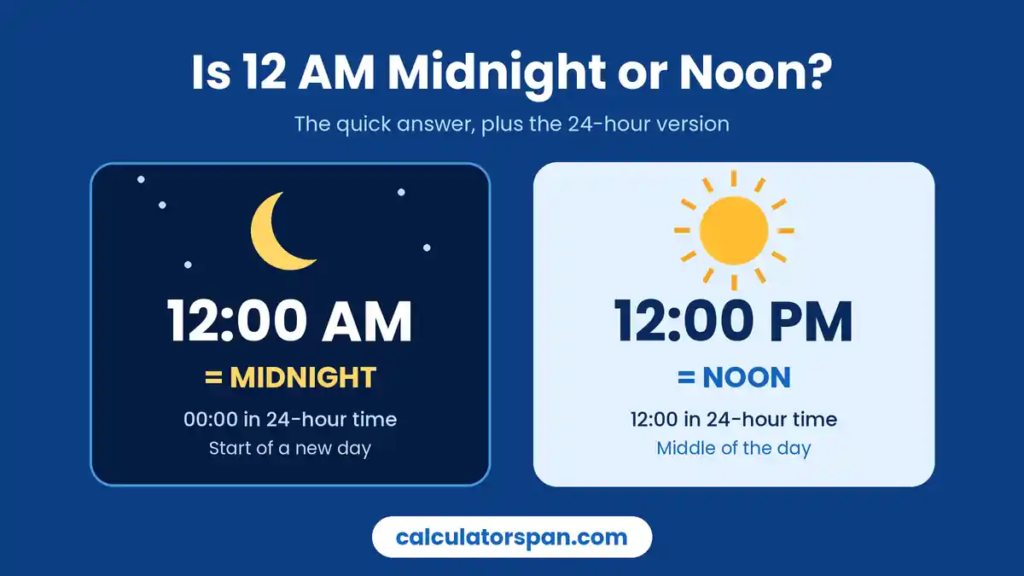
12:00 AM is midnight, the very start of a new calendar day. Noon is 12:00 PM. The mix-up is completely understandable, because the 12-hour clock gets awkward right at 12. AM means “before midday” and PM means “after midday,” so midnight sits right at the edge. One second after midnight, it’s 12:00:01 AM and clearly morning.
The 24-hour clock removes the confusion. Midnight is 00:00 at the start of a day, and you’ll sometimes see 24:00 used for the end of the previous day. Both mean the same moment. The UK’s National Physical Laboratory also points out that 12 AM and 12 PM are ambiguous, and it suggests using the words “midnight” and “noon” or the 24-hour clock instead. For quick conversions, try our military time converter.
One practical tip: “midnight on December 31st” almost always means the midnight that starts January 1st. When timing matters, say “midnight going into January 1st” and nobody will get it wrong.
Yes. Use Copy Result for a text summary, or the WhatsApp, Facebook, and X buttons to share the live page. There’s no sign-up.
What happens when the countdown reaches zero?
The display hits 00:00:00, the date rolls over, and the countdown starts again toward the next midnight. It runs entirely in your browser, so it keeps going for as long as the page is open.
Does the countdown account for Daylight Saving Time?
Yes. It reads your system clock, and your operating system already handles DST. On the night the clocks change, the time remaining updates automatically, so you don’t need to do anything.
Is the midnight countdown accurate?
It matches your device’s clock, so it’s accurate to within a few milliseconds. Instead of subtracting one second per tick, it measures the real gap between now and midnight each time. That keeps it accurate across the whole day.
Can I set a countdown to a time other than midnight?
Not on this page. It’s built for one job, counting down to tonight’s midnight, which is why there’s nothing to set up. For any other date or time, the countdown timer online has you covered, and it includes a simple hours-minutes-seconds timer too.